

taskmates
A shared to-do list that keeps students accountable.
A task app that pairs students with an accountability partner
View Prototype ↗
Client
Personal Concept Project
Timeline
4 Weeks
Deliverables
UX Research, UI Design, Prototyping
Role
UX/UI Designer, User Researcher
01 Overview
A shared to-do list that keeps students accountable.
taskmates is a task management app that pairs college students with an accountability partner, turning solo to-do lists into a shared system that keeps them motivated, on track, and less overwhelmed.
The goal: help students follow through on tasks by building in social accountability, without adding more complexity to an already stressful day.
02 The Problem
Students know what to do. Following through is the hard part.
College students carry some of the highest stress of any group. Most know what they need to do. They just struggle to follow through without external motivation. taskmates builds that motivation in.
94%
overwhelmed by academics
50%
worried about future jobs
80%
stressed about finances
The solution, at a glance
taskmates turns solo to-do lists into a shared system, pairing students with an accountability partner right on every task, so following through feels supported, not stressful.
A partner on every task
Optional & low-pressure
Calm by design
03 Research and Discovery
I studied who already does this, and who doesn't.
I ran interviews and surveys with 4 participants, then two rounds of usability testing with 10 students total. Looking at the market, I found two kinds of apps, and a gap right between them: productivity tools that nail lists but have no accountability, and accountability apps built for long-term goals, not daily tasks.

Todoist · Asana · MS To Do · Beeminder · StickK
Key Insights
People stay motivated when someone checks in with them, whether for accountability or just encouragement.
Accountability has to be optional and low pressure. People want to choose how visible their partner is.
Reminders and shared progress tracking are what people want most.
04 User Goals
What students actually want to accomplish.
Affinity mapping the interviews surfaced five recurring goals. Every taskmates decision maps back to at least one of them.
Task completion
Turn work in on time for a real sense of accomplishment, and less overwhelm.
Time management
Spread tasks out efficiently for a better work-life balance.
Accountability
Hold yourself to a higher standard and build a personal brand.
Motivation
Set goals, complete them, and build a healthier, balanced life.
Organization
Efficiency and control, to actually get to everything you want to do.

05 User Personas
Two students, one shared struggle.
Elijah and Ava are goal-driven students who lean on faith and family, yet both fight the same enemies: time management, burnout, and distraction.

Elijah Batts
The Ambitious Believer
26 · Grad student + part-time intern · Austin, TX
Motivations
Career growth, financial freedom, living out his faith.
Needs
A reliable, easy system plus support when he hits obstacles.
Frustrations
Distraction, burnout, an unpredictable work schedule.
Goals
Financial independence and a faith-aligned life.

Ava Rogers
The Driven Planner
21 · College student · Washington, D.C.
Motivations
Career success, breaking generational cycles, personal milestones.
Needs
Clear structure and steady support to prevent burnout.
Frustrations
Low motivation when overwhelmed, balancing work and life.
Goals
Financial independence and a healthy work / self-care balance.
06 Brand Discovery
A dependable, caring friend.
taskmates should feel like a dependable, caring friend who is always there, not just organizing students, but motivating and supporting them, so they feel empowered and less alone.
Dependable
Always there when the user needs it, through every task and mood.
Encouraging
Motivates and supports, never just another list of reminders.
Empowering
Helps students take action and feel capable of following through.

07 Goals and Success Metrics
Three goals shaped every decision, each measured through usability testing.
Task completion
Reduce the effort it takes to create a task and actually follow through on it.
Accountability
Make it easy to see who's supporting you on which task, without adding pressure.
≡
Simplicity
Every new feature has to keep the app feeling calm, never more complex.
08 User Flow
Mapping the two journeys that make taskmates unique.
I traced how each persona moves through the accountability and motivation features, keeping a clear path back to the home dashboard at every step.
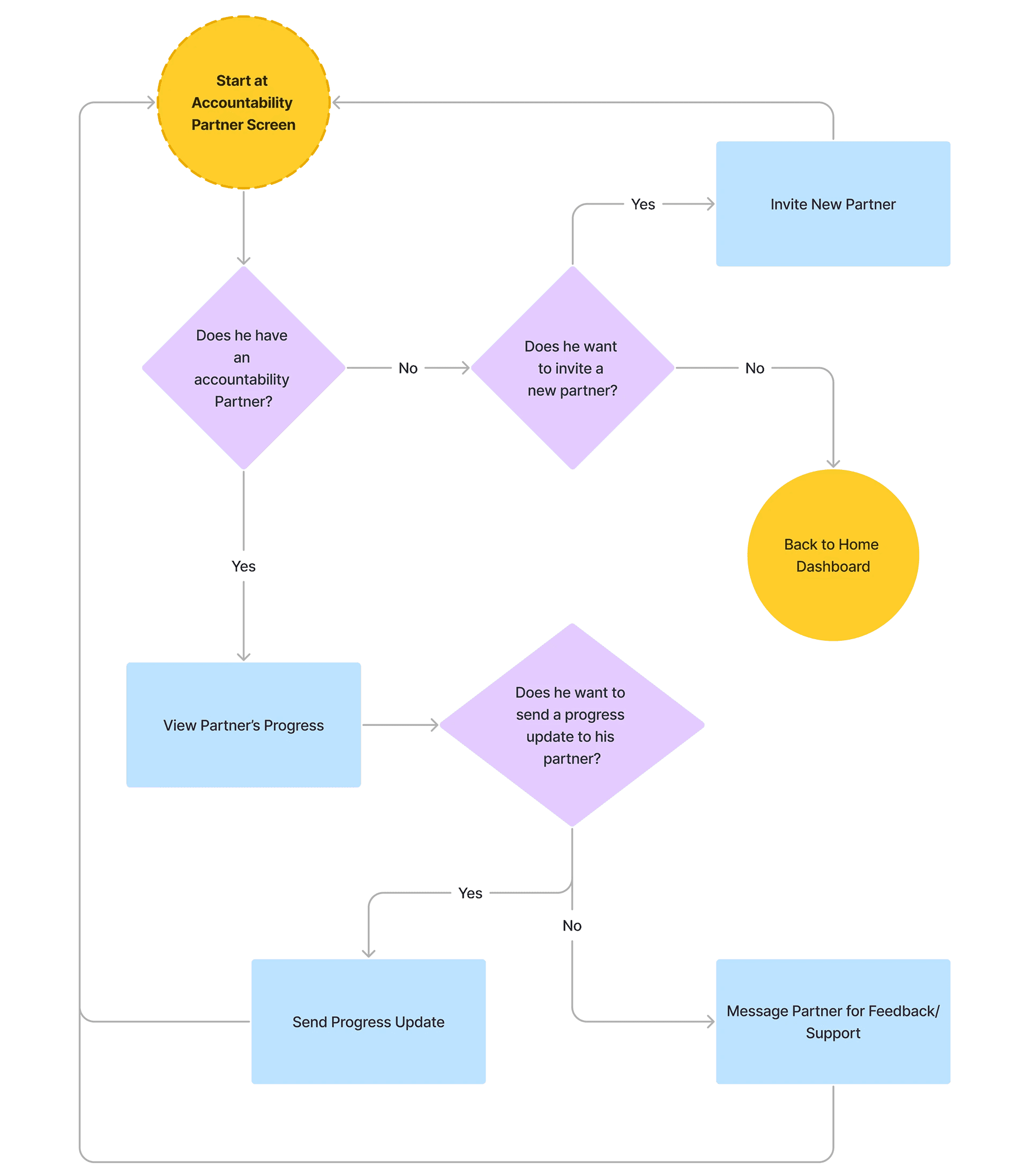
Elijah · Accountability partner
View a partner's tasks, send an update, or invite a new partner, then head back to the dashboard.

Ava · Motivation & inspiration
Read a quote, explore success stories, or do a mood check-in for tailored content.
09 Information Architecture
Five spaces, one calm hierarchy.
Everything lives under a simple bottom nav, with the Home dashboard as the hub and tasks always first.
Home dashboard · the hub
Today's tasks, this week, quote of the day, and quick access into every space.
Tasks
To-do · In progress · Finished · Task detail with partner
Your Mates
Partner list · Partner profile · Invite a partner
Motivation
Quote of the day · Success stories · Mood check-in
Progress
Daily · Weekly · Long-term goals
10 Design Process
I tested, listened, and simplified. Twice.
Low fidelity wireframes kept the task list front and center, with the accountability partner present but never in the way. Across two rounds of testing, I let real user language drive every change.


"I want an app that doesn't feel like a chore."
Round 1, so I strategically placed color for a calm feeling
"I'm not sure how the task creation and the partner connects. What's the correlation?"
Round 2, so I redesigned the your mates page
"I like this a lot better, much more calm which I need. I feel more inclined to get things done!"
Final round
11 The Solution
Accountability you can actually see.
The final design puts the accountability partner right where the work happens: on the task itself. Everything else is built to stay calm and out of the way.
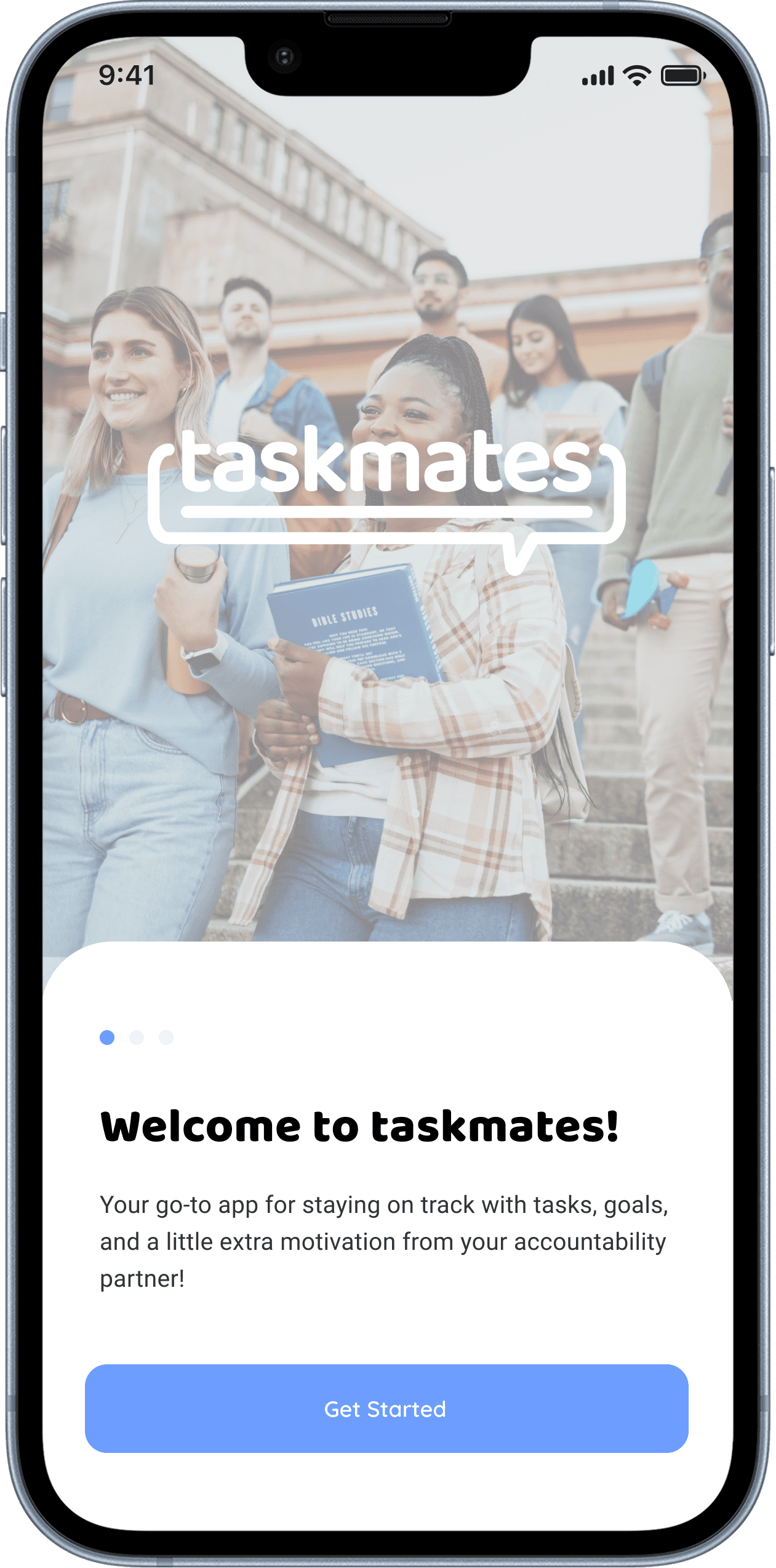


In-task partners
Each task card shows the photo of the mate holding you accountable for it.
Partner page
Manage partners across personal, work, and school tasks in one place.
Simple dashboard
Rebuilt around one hierarchy. Tasks first, everything else second.
Color with intent
Color always means a task category, never decoration.
12 Outcome and Business Impact
From overwhelming to something they'd use every day.
Between round 2 and the final test, the #1 usability blocker (how tasks and partners connect) was resolved, and sentiment flipped from overwhelmed to calm. The design also points to a clear path forward: partnering with universities and integrating with tools like Canvas to auto-populate due dates, turning taskmates into infrastructure a campus could adopt at scale.
4 / 5
final-round testers would use it daily
Overwhelmed → Calm
the shift in user sentiment by the final round
#1 blocker resolved
task-to-partner comprehension, fixed before final testing